
Table of Contents
What You'll Learn
- What AI video generation is and how it works
- The major AI video tools available in 2025
- How to write effective prompts for AI video
- Common mistakes beginners make (and how to avoid them)
- Step-by-step workflow for your first AI video
What Is AI Video Generation?
AI video generation is the process of creating video content using artificial intelligence. Instead of filming with cameras or animating frame-by-frame, you describe what you want in text (called a "prompt"), and the AI creates the video for you.
Think of it like having a conversation with a very talented video production team. You tell them what you want to see, and they create it—except the "team" is an AI that can work in seconds rather than days.
How Does It Actually Work?
AI video generators are trained on millions of videos and images. They learn patterns: what a sunset looks like, how people walk, how cars move. When you give them a prompt, they use this learned knowledge to generate new video frames that match your description.
The technology has improved dramatically. In 2023, AI videos were often blurry and unrealistic. By 2025, tools like Google's Veo 3, OpenAI's Sora, and Runway can create photorealistic videos with natural movement, proper physics, and even synchronized dialogue.
Major AI Video Tools in 2025
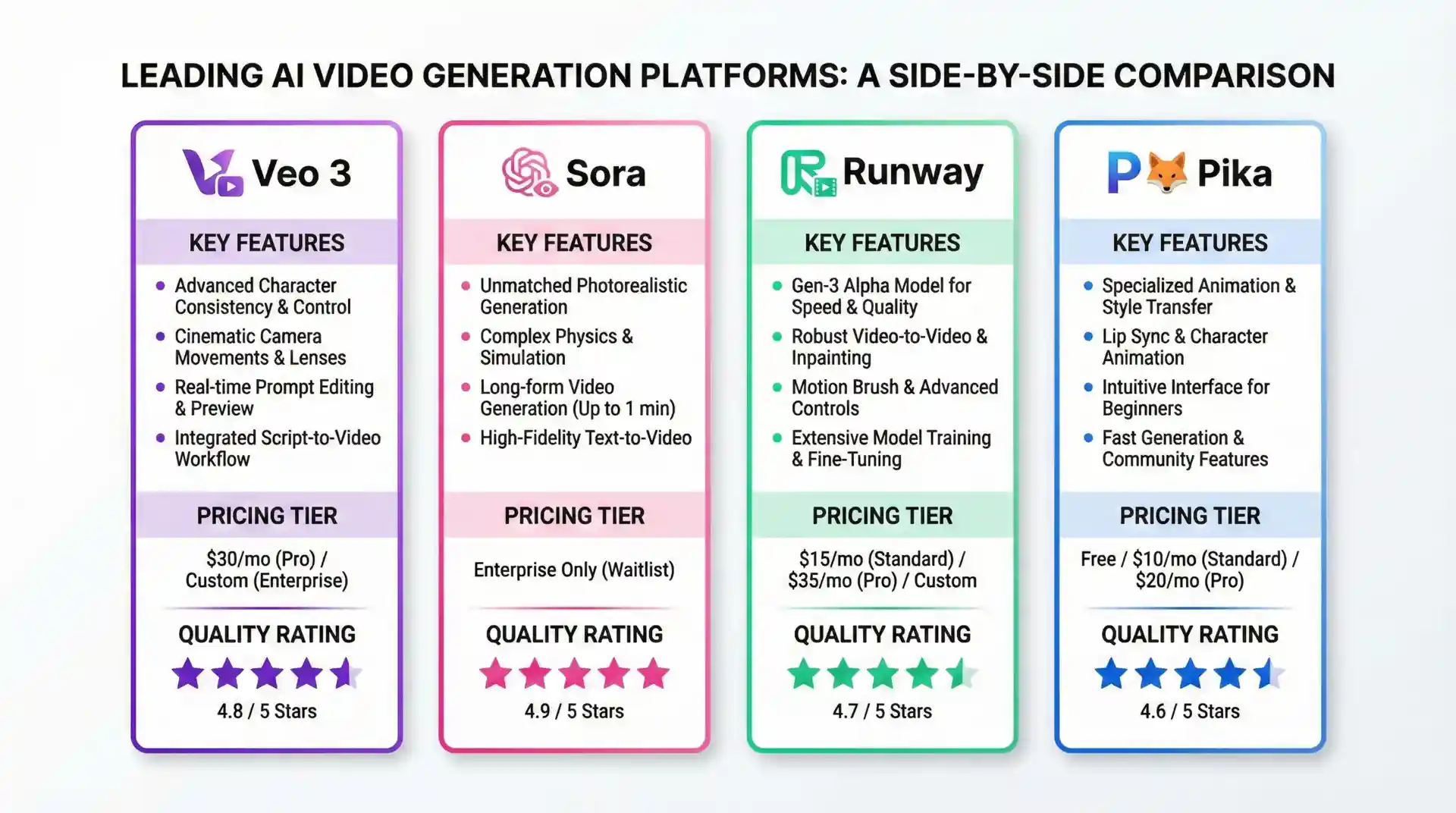
Here's an overview of the main AI video generation tools available:
Google Veo 3
Best for: Dialogue-heavy content, storytelling, character consistency
Key feature: Native dialogue support with lip-sync
Limitation: 95-character dialogue limit per scene
Access: Available through Google AI Studio and select partners
OpenAI Sora
Best for: Cinematic quality, complex scenes, longer videos
Key feature: Up to 60-second video generation
Limitation: Can struggle with text and specific details
Access: ChatGPT Plus and Pro subscribers
Runway Gen-3
Best for: Quick iterations, creative experimentation
Key feature: Image-to-video and video-to-video capabilities
Limitation: Shorter video lengths
Access: Web-based with subscription tiers
Pika Labs
Best for: Beginners, social media content
Key feature: User-friendly interface, good free tier
Limitation: Less control over specific details
Access: Web and Discord
Writing Your First AI Video Prompt
The prompt is everything in AI video generation. A good prompt leads to great results; a vague prompt leads to disappointment.
The Anatomy of a Good Prompt
Every effective prompt should include:
-
Subject: Who or what is in the video?
Example: "A young woman with red hair" -
Action: What are they doing?
Example: "walking through a crowded market" -
Setting: Where is this happening?
Example: "in a traditional Japanese fish market" -
Style/Mood: What's the visual feel?
Example: "cinematic, warm morning light, documentary style" -
Camera: How is this being filmed?
Example: "handheld tracking shot, slight motion blur"
Complete Prompt Example
"A young woman with red hair walking through a crowded traditional Japanese fish market. Early morning, warm golden light streaming through the market stalls. Cinematic documentary style. Handheld tracking shot following her from behind, slight motion blur, ambient market sounds."
7 Common Beginner Mistakes
Mistake #1: Vague Prompts
Bad: "A person in a city"
Good: "A businessman in his 40s, gray suit, walking briskly through Times Square at night, neon lights reflecting on wet pavement"
Mistake #2: Ignoring Technical Limits
Each tool has specific requirements. Veo 3's 95-character dialogue limit exists for a reason. Learn the constraints before you start.
Mistake #3: Too Many Elements
Asking for "5 people dancing in a nightclub with fireworks and a live band" will confuse the AI. Start simple, add complexity gradually.
Mistake #4: Expecting Perfection First Try
AI video generation is iterative. Plan to generate multiple versions and refine your prompts based on results.
Mistake #5: Forgetting Consistency
If you're creating multiple scenes, your character descriptions must be identical. Otherwise, your "main character" will look different in every scene.
Mistake #6: Neglecting Lighting
Lighting sets the mood. "Harsh overhead fluorescent" creates a very different feel than "soft golden hour sunlight."
Mistake #7: No Clear Story
Even a 10-second video needs a beginning, middle, and end. What's happening? Why should viewers care?
Your First AI Video: Step-by-Step
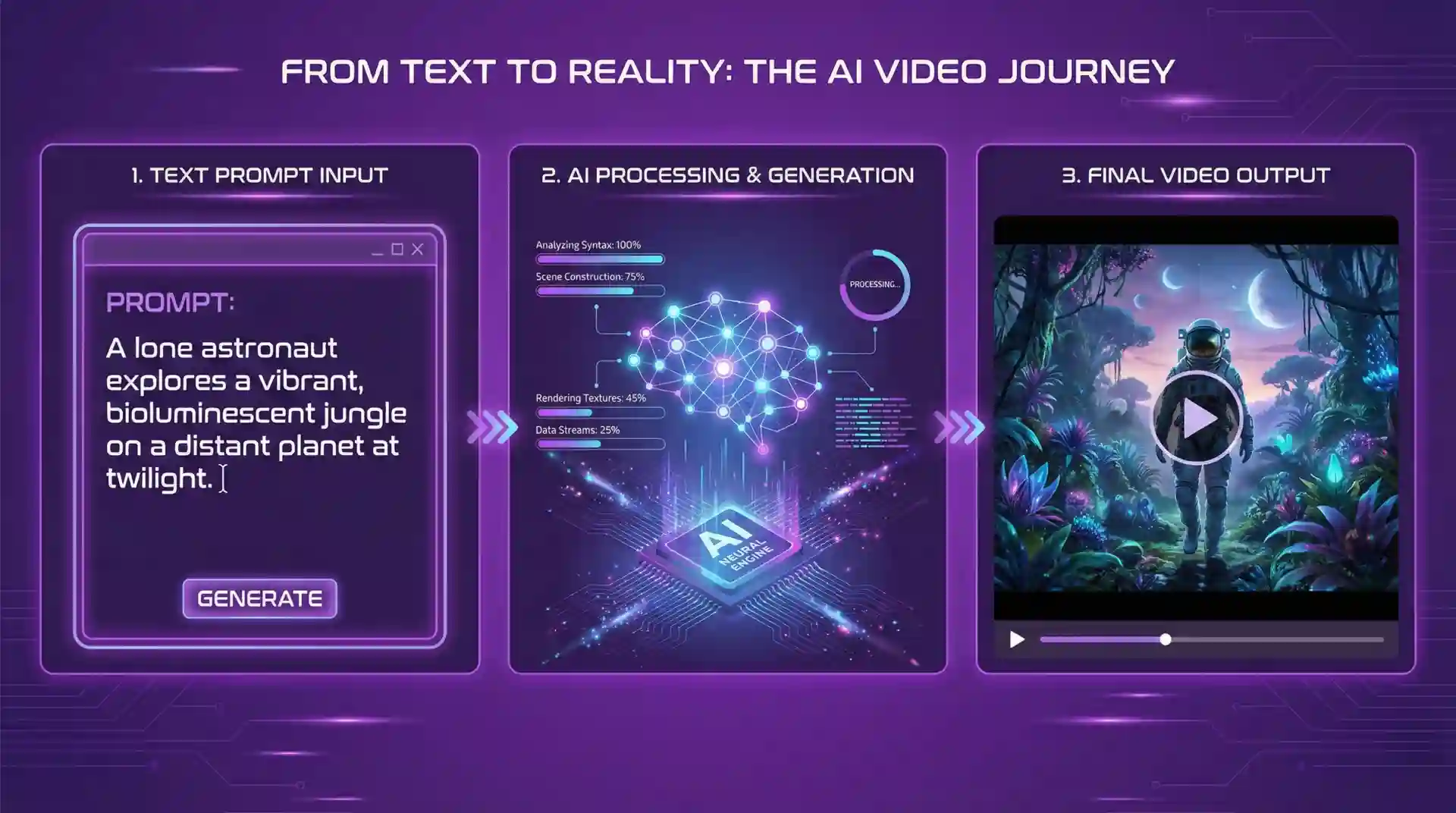
Let's create your first AI video together. We'll use a simple scene that works well with most AI video tools.
Step 1: Define Your Concept
Start with a simple idea. For this tutorial: "A coffee shop moment"
Step 2: Write Your Script
Even for a short video, write out what happens:
A woman sits alone at a coffee shop table, reading a book. She looks up, smiles slightly, and returns to reading. Steam rises from her coffee cup.
Step 3: Create Your Prompt
Transform the script into a detailed prompt:
"Medium shot of a woman in her 30s with brown hair in a messy bun, wearing a cream sweater, sitting at a wooden table in a cozy coffee shop. She's reading a paperback book. Warm afternoon light through large windows. She looks up briefly with a gentle smile, then returns to reading. Steam rises from a ceramic coffee cup beside her. Soft focus background with other patrons. Cinematic, warm color grading."
Step 4: Generate and Iterate
Run your prompt. Review the result. Ask yourself:
- Does the character look right?
- Is the action clear?
- Does the mood match my vision?
Adjust your prompt and regenerate until you're satisfied.
Step 5: Add Dialogue (For Veo 3)
If using Veo 3, you can add dialogue. Remember the 95-character limit:
Too long (112 chars): "This is exactly what I needed today. A quiet moment with a good book and perfect coffee."
Perfect (67 chars): "This is exactly what I needed. A quiet moment with good coffee."
Next Steps: Growing Your Skills
Once you've created your first video, here's how to level up:
- Study film: Watch movies and analyze how scenes are constructed. What shots do directors use? How do they transition between scenes?
- Learn cinematography terms: Understanding "dolly shot" vs "zoom" vs "tracking shot" will make your prompts more precise.
- Practice daily: Generate at least one video per day. The more you practice, the better your prompts become.
- Join communities: Reddit, Discord, and Twitter have active AI video communities where you can learn from others.
- Use tools: Our Veo 3 Script Writer automates much of the formatting work, letting you focus on creativity.
Ready to Create Your First AI Video?
Use our free tool to format your scripts perfectly for Veo 3.
Start CreatingFrequently Asked Questions
Do I need video editing experience?
No. AI video generation is accessible to complete beginners. However, basic understanding of storytelling and visual composition helps.
How much does it cost?
Costs vary. Some tools offer free tiers (Pika, limited Runway). Veo 3 access depends on your Google AI Studio tier. Sora requires ChatGPT Plus ($20/month) or Pro ($200/month).
Can I use AI videos commercially?
Generally yes, but check each tool's terms of service. Most allow commercial use of generated content, but some have restrictions.
How long can AI videos be?
Currently, most tools generate 5-20 second clips. Sora can do up to 60 seconds. For longer videos, you'll need to generate multiple clips and edit them together.